Warning: Changes made here affect low-level platform behavior and can disrupt service if misconfigured. Only make changes if you understand their impact, and always use the regular Mividas Meeting Portal interface when the same setting is available there.
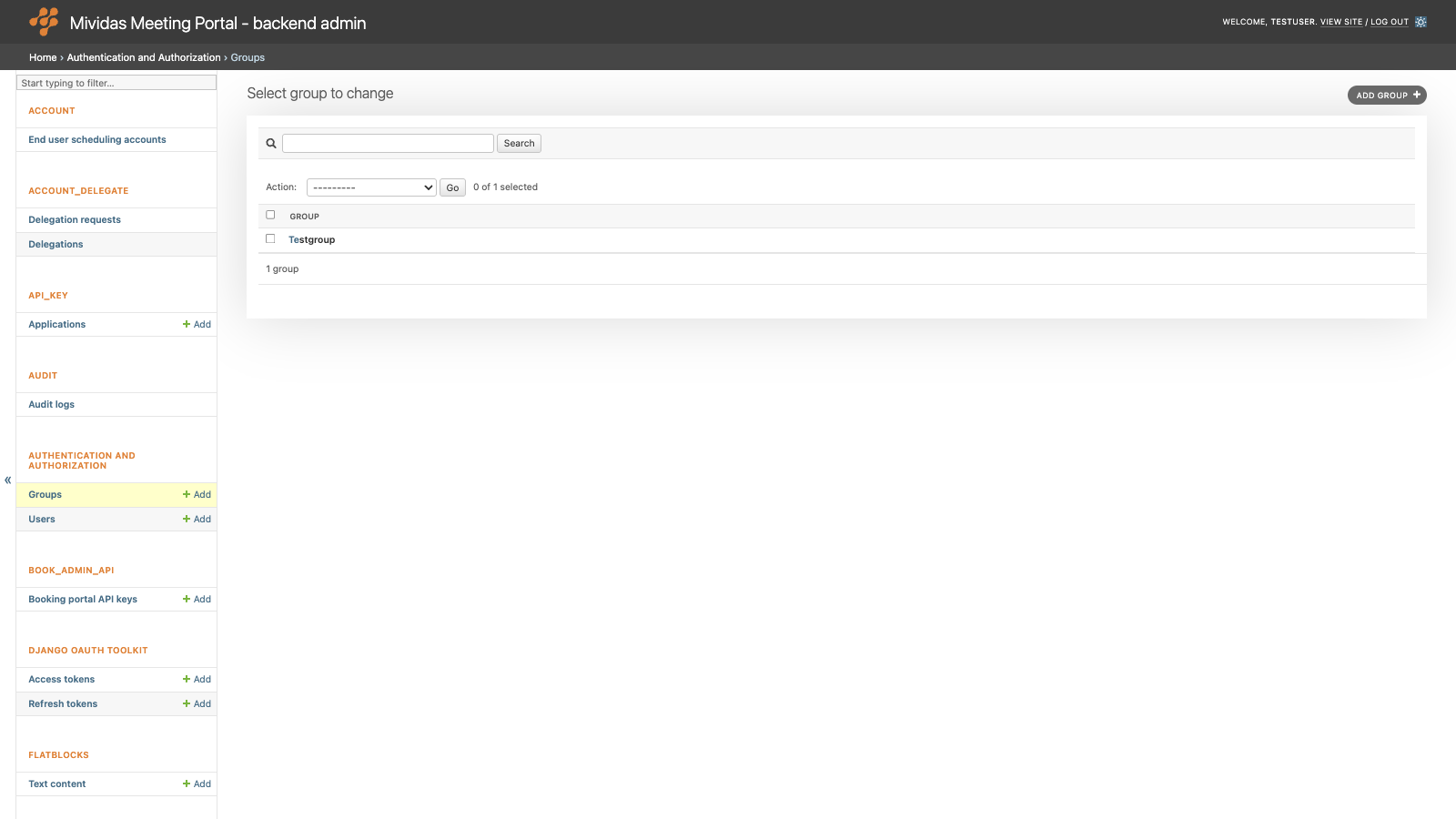
Manage groups of backend users. In the Mividas Meeting Portal, groups are used for two things:
- Group scopes (beta) – limit what the members of a group are allowed to do in the portal and in the APIs.
- Group mappings – add users to a group automatically when they sign in, based on their LDAP groups or SAML claims.
| Option | Description |
|---|---|
| Search | Search by group name. |
| Add group + | Add a new group. |
Add or edit a group
| Field | Description |
|---|---|
| Name | Required. The name of the group. |
| Permissions | Only used in backend admin. The only available permission is Use group scopes for API permissions (beta). When a user has this permission, either directly or through a group, scoped permissions are enabled for the user. |
Group scopes

Group scopes are a public preview (beta) of scoped user permissions.
By default, a user’s admin level decides what they can do. All users can use the web interface and read and write their own data. Users with Staff status also get read access to admin settings, and users with Superuser status also get write access.
To limit a user, turn on scoped permissions for them. Then the user’s permissions are limited to the scopes granted to all of their groups together.
To turn on scoped permissions for a user:
- Add the scopes the users need to one or more groups.
- Grant the Use group scopes for API permissions (beta) permission to one of the user groups.
- Add the users to the groups.
Important: Please verify your use case before you give users restricted access. Permissions are checked in the backend only. All elements in the user interface remain visible, but will show a permission denied message when used.
| Option | Description |
|---|---|
| Scope | Select a scope to grant to the members of the group. Each scope can only be added once per group. See the list of scopes below.web – Access web interface.api:read – Read all data except for admin settings.api:write – Write all data except for admin settings. Includes web, api:read and book_api:write.book_api:write – Schedule meetings using the scheduling API.book_admin_api:read – Read scheduled meetings using the admin scheduling API.book_admin_api:write – chedule meetings using the admin scheduling API. Includes book_admin_api:read.secure_meeting_api:write – Verify secure meeting authentication.admin:read – Read admin settings. Includes all other read scopes, except for the admin scheduling API. admin:write – Create, update, and delete admin settings. Includes all other scopes, except for the admin scheduling API and the secure meeting API. |
| Delete | If not yet saved: click the delete icon (x) to remove the row. If already saved: check the box and click Save to remove the row. |
| Add another Group scope | Adds another row for another scope. |
Group scopes also limit the tokens of OAuth applications owned by users with scoped permissions, see API_KEY › Applications.
Group mappings

Group mappings automatically add users to the group when they sign in via LDAP or SAML.
| Option | Description |
|---|---|
| Mapping type | SAML or LDAP. The sign-in method the mapping applies to. |
| Value | Claim/attribute value associated with permission in Installer. For LDAP, enter the DN or name of an LDAP group or organizational unit the user is a member of. For SAML, enter a value of the group or role claim. Use * to match all users who sign in with this method. |
| Clear missing | When checked (default), users who no longer match the value are removed from the group at their next sign-in. When left unchecked, users remain in the group until they’re manually removed. |
| Delete | If not yet saved: click the delete icon (x) to remove the row. If already saved: check the box and click Save to remove the row. |
| Add another Group mapping | Adds another row for another mapping. |
Note: Group mappings are applied every time a user signs in. Manual changes to the groups of an LDAP or SAML user can be overwritten by the group mappings at the next sign-in.