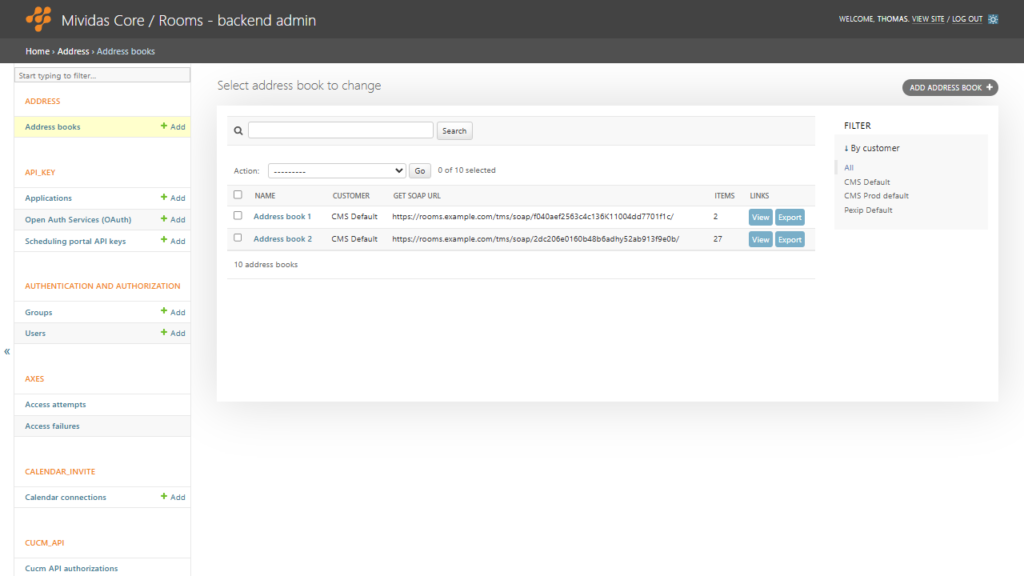
Manage the address books available in Mividas Rooms. Each address book groups the contacts and systems that users can search for and dial.
Warning: Changes made here affect low-level platform behavior and can disrupt service if misconfigured. Only make changes if you understand their impact, and always use the standard web interface when the same setting is available there.
| Option | Description |
|---|---|
| ADD ADDRESS BOOK + | Add an address book. |

| Option | Description |
|---|---|
| Name | The name of the address book. |
| Customer | The customer that the address book belongs to. Clicking the name allows you to edit the address book. |
| GET SOAP URL | The SOAP URL of the address book. |
| ITEMS | Number of items in the address book. |
| View the address book in Mividas Rooms. | |
| Export the address book to an Excel file. |
Adding or editing an address book

IMPORTANT: We recommend that you do not change any settings here unless instructed by support. Use Mividas Rooms web interface to configure Address Books.
| Field | Description |
|---|---|
| Customer | Select the customer this record applies to; leave blank for a global/shared record. |
| Name | A descriptive name used to identify this record. |
| URL | The URL for this record. |
| Editing URL | The URL used to edit the external source. |
| External type | The type of external source. |
| Group | The group this record belongs to. |
| Type | The type/category of this record. |
| Secret key | A secret key used to authenticate the source. |