Warning: Changes made here affect low-level platform behavior and can disrupt service if misconfigured. Only make changes if you understand their impact, and always use the regular Mividas Meeting Portal interface when the same setting is available there.
A read-only list of all meetings scheduled in the Mividas Meeting Portal. This includes meetings scheduled in the web interface, the Outlook add-in, and the APIs. From the list, you can resend meeting invitations.
Note: Meetings can’t be added or changed in the backend admin. To schedule, change, or cancel a meeting, use the portal.
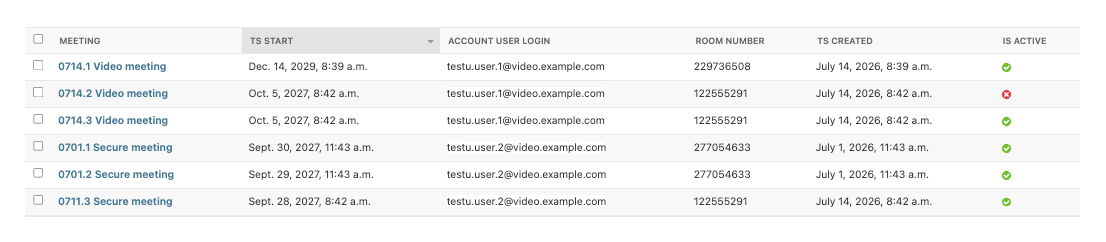
List view
| Column | Description |
|---|---|
| Meeting | The title of the meeting. |
| Ts start | When the meeting starts. |
| Account user login | The login name of the meeting organizer. |
| Room number | The number used to join the meeting. |
| Ts created | When the meeting was scheduled. |
| Is active | Shows if the meeting is active. Canceled meetings are not active. |
Actions

Select one or more meetings in the list, choose an action in the Action menu and click Go.
| Action | Description |
|---|---|
| Resend emails for selected meetings | Sends the invitations again to all invited participants and moderators. For a recurring meeting, the invitations for the whole series are sent. The e-mails are sent in the background. |
| Resend emails for selected meetings as a new meeting series | First sends cancellations for the existing calendar invitations. Then the meeting gets a new calendar identity, and new invitations are sent to everyone. Use this when the recipients’ calendar entries are out of sync, for example, when updates aren’t applied, or entries are duplicated. The recipients get the old calendar entry canceled and a new entry created. |
| Delete selected meetings | Removes the selected meetings from the Mividas Meeting Portal database. You can also delete a single meeting with Delete on the meeting’s page. |
Warning: Deleting a meeting here doesn’t cancel it in Mividas Core or send any cancellation notifications. The meeting room can still be used, and the participants’ calendar entries are kept. To cancel a meeting, use the portal instead.
View a meeting
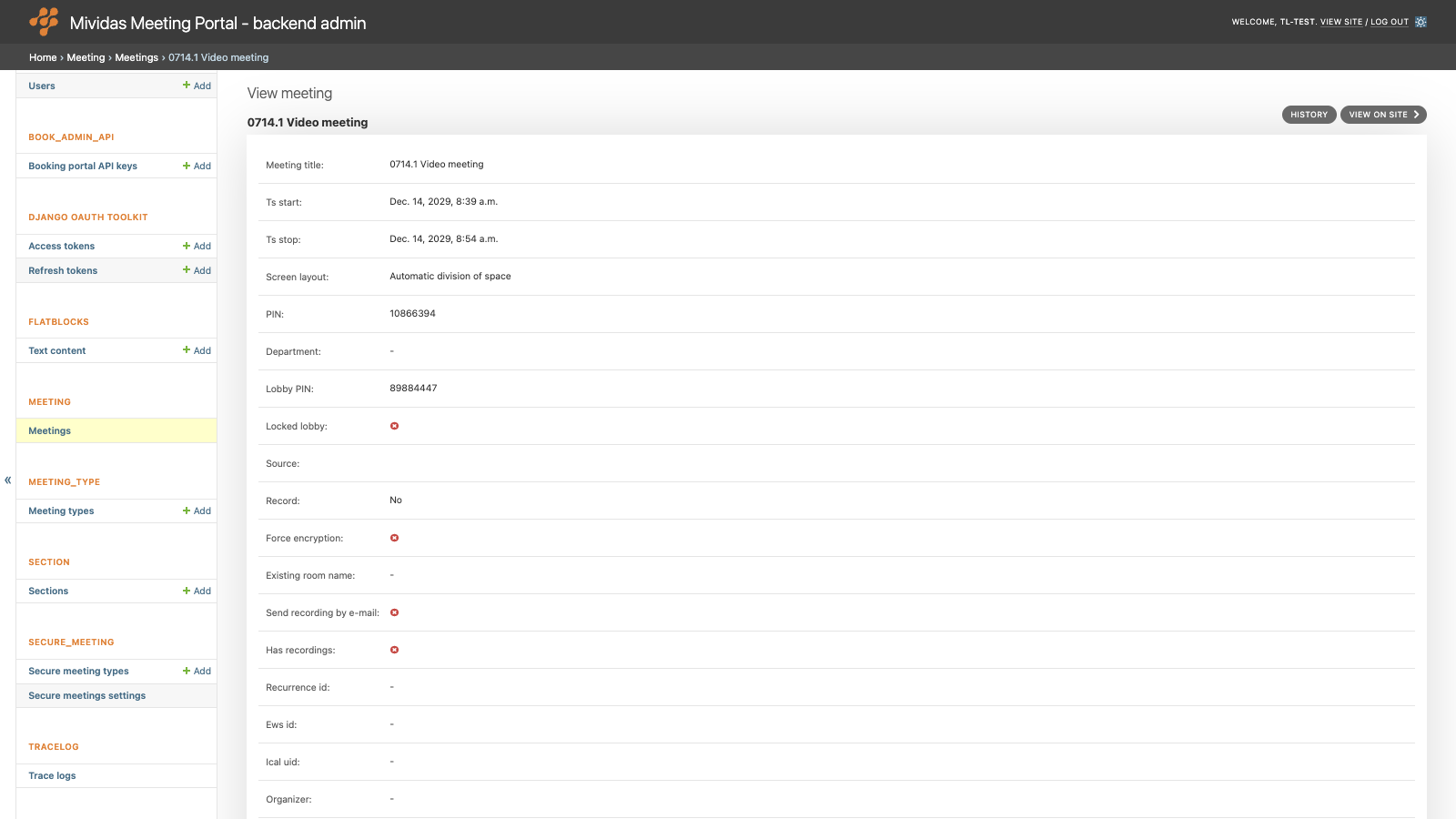
Click a meeting to see all details. All fields are read-only.
| Field | Description |
|---|---|
| Meeting title | The title of the meeting. |
| Ts start | When the meeting starts. |
| Ts stop | When the meeting ends. |
| Screen layout | The screen layout of the meeting: Automatic division of space, Speaker is prominent, other participants below, Share space between participants or Speaker only. |
| PIN | The PIN code for guests. |
| Department | The department selected when the meeting was scheduled, if any. See SECTION › Sections. |
| Lobby PIN | The PIN code for moderators. |
| Locked lobby | Shows if guests have to wait in the lobby until a moderator joins. |
| Source | Where the meeting was scheduled from, e.g. outlook for the Outlook add-in. Empty for meetings scheduled in the portal. |
| Record | The recording setting: No, Yes or Webcast. |
| Force encryption | Shows if only encrypted connections are allowed. |
| Existing room name | The name of the existing meeting room in which the meeting was scheduled, if any. |
| Send recording by e-mail | Shows if the recording is sent to the organizer by email. |
| Has recordings | Shows if the meeting has been recorded. |
| Recurrence id | Identifies the occurrence within a recurring meeting series. |
| Ews id | The ID of the calendar item in Microsoft Exchange, for meetings scheduled with the Outlook add-in. |
| Ical uid | The calendar ID used in the meeting invitations. |
| Organizer | The organizer’s address from the calendar, for meetings scheduled with the Outlook add-in. |
| Room number | The number used to join the meeting. |
| Recurring data | For recurring meetings: the recurrence rule and any changes, excluded or canceled occurrences. |
| Type | The meeting type. See MEETING_TYPE › Meeting types. |
| Section | The section in which the meeting was scheduled. |
Below the meeting details, related information is shown:
| Section | Description |
|---|---|
| Recurring meetings | The recurrence settings of the meeting series: rule, time zone, start, duration, exceptions, and changed occurrences. |
| Meeting invites | The invited participants and moderators, with their names, e-mail addresses, types, the dates the invitations were sent, and the dates personal data was removed. |
| Secure meeting invites | For secure meetings, the invited participants and moderators, including their identification and the invitation texts. |
| Meeting invite send logs | A log of each invitation that has been sent, with the time, the type of message, the occurrences it covered, and any errors. |