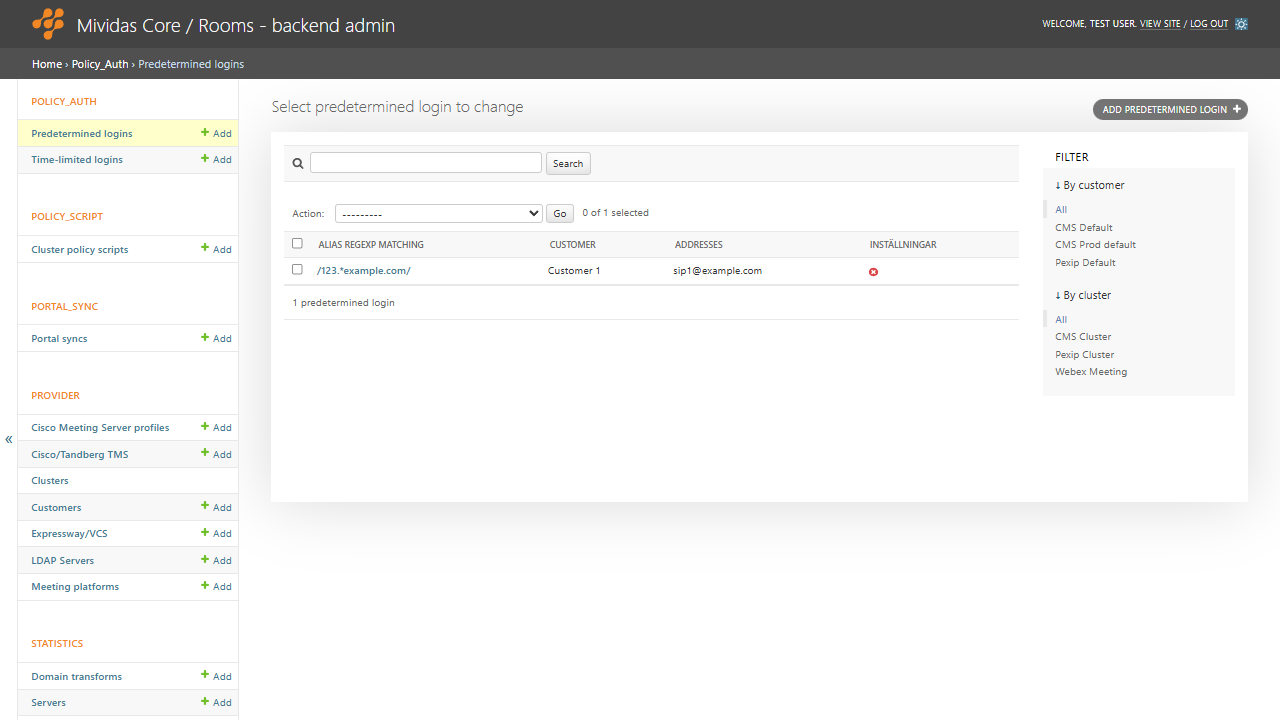
Predetermined logins let you create permanently configured whitelist rules that control which callers are automatically admitted to matching aliases. For example, always admitting your known SIP room systems into a given VMR, or automatically granting your office endpoints host rights.
Warning: Changes made here affect low-level platform behavior and can disrupt service if misconfigured. Only make changes if you understand their impact, and always use the standard Core/Rooms interface when the same setting is available there.
| Option | Description |
|---|---|
| Add a predetermined login + | Add a predetermined login. |
Add a predetermined login

| Field | Description |
|---|---|
| Customer | Select the customer this record applies to. |
| Cluster | Select the video cluster this record applies to. |
| Only match calls in this location | Restrict matching to calls in this location. |
| Match incoming SIP calls | Match incoming SIP calls. |
| Match incoming H.323 | Match incoming H.323 calls. |
| Match incoming Skype calls | Match incoming Skype/Teams calls. |
| Match incoming WebRTC calls | Match incoming WebRTC calls. Note: It is easy to write fake values, so use in combination with location. |
| Alias regexp matching | Regexp on the dialed alias. E.g. 111.* = any alias beginning with 111. |
| List of approved addresses | One post per line. Plain lines match the caller’s remote_alias; lines starting with { are JSON where all keys must match (e.g. {"remote_alias": "[email protected]", "registered": "True"}); wrap in /…/ for a regexp. |
| Override for room settings | JSON applied when the rule matches, e.g., moderator status |