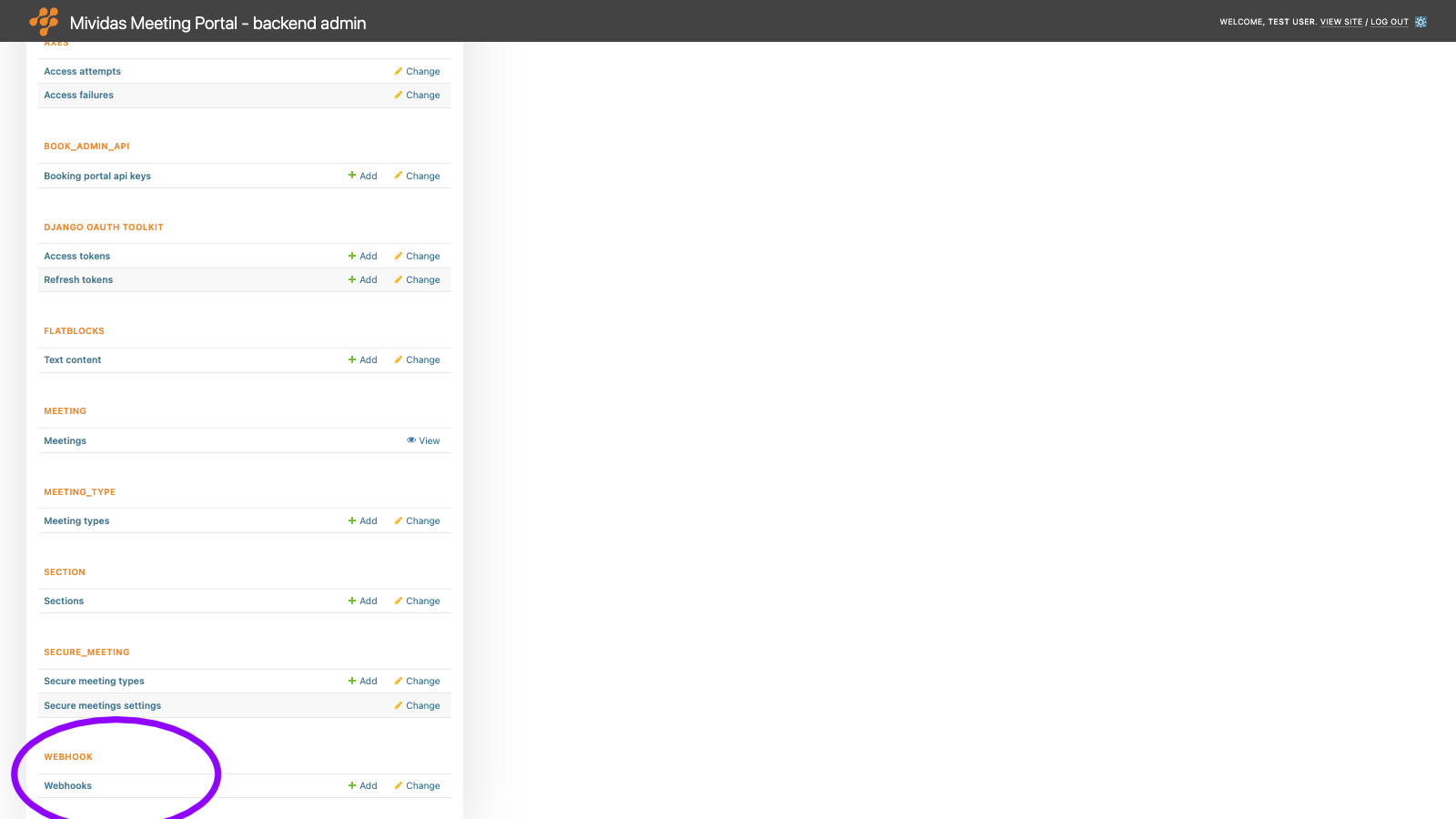
Warning: Changes made here affect low-level platform behavior and can disrupt service if misconfigured. Only make changes if you understand their impact, and always use the regular Mividas Meeting Portal interface when the same setting is available there.
Configure webhooks to notify external systems of events in the Mividas Meeting Portal, e.g., when a user signs in or a meeting is scheduled, modified, or canceled. Webhooks can also be used to send SMS messages through your own SMS gateway.
Option
Description
Add webhook +
Add a new webhook.
List view
Column
Description
Title
The descriptive name of the webhook.
Enabled
Shows if the webhook is enabled.
Url
The address to which the events are sent.
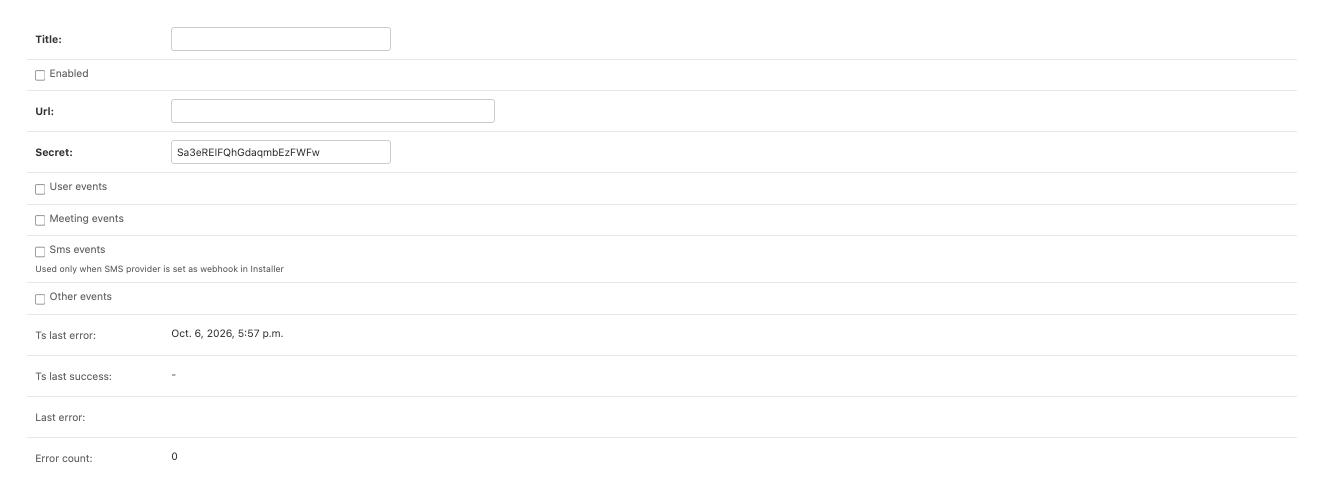
Add or edit a webhook
Field
Description
Title
A descriptive name, e.g., the name of the receiving system.
Enabled
When unchecked, no events are sent to this webhook.
Url
The address to which the events are sent. Use an https:// address.
Secret
The key used to sign the events. See Verify the signature. A random secret is generated automatically. The secret is stored encrypted.
User events
Send the events user.login and user.delegate.
Meeting events
Send the events meeting.book, meeting.rebook and meeting.unbook.
Sms events
Used only when SMS provider is set as webhook in the Installer. Send the event sms.invite.
Other events
Send other types of events.
Ts last error
When the latest delivery error occurred. For a new webhook, this is set to the webhook’s creation time.
Ts last success
When the last event was successfully delivered.
Last error
The error message of the latest failed delivery.
Error count
The number of failed deliveries since the last successful one.
Events
Event
Description
user.login
A user signed in. The event includes is_first_login, which is true the first time the user signs in.
user.delegate
A user started managing meetings on behalf of another user.
meeting.book
A meeting was scheduled.
meeting.rebook
A meeting was changed.
meeting.unbook
A meeting was canceled.
sms.invite
An SMS invitation to a secure meeting should be sent. The receiving system sends the SMS.
Request format
Each event is sent as an HTTP POST request with a JSON body. Example of an meeting.book event:
The user the event concerns. For meeting events, this is the meeting organizer.
delegate
The user who acted on behalf of user, e.g., through a delegation. null if the user acted for themselves.
site
The domain of the portal that sent the event.
meeting
Meeting events and SMS events: information about the meeting.
recipient, message, sender
SMS events only: the mobile number in international format without +, the text of the SMS, and the sender name.
The request includes these headers:
Header
Description
X-Mividas-Signature
An HMAC-SHA256 signature of the request body in hexadecimal format, created with the webhook’s secret.
X-Mividas-Webhook
The ID of the webhook.
X-Mividas-Delivery-Try
The delivery attempt, starting at 1.
Verify the signature
To ensure an event comes from the Mividas Meeting Portal, calculate the HMAC-SHA-256 of the raw request body using the webhook’s secret. Then compare the result with the X-Mividas-Signature header. Example in Python:
The receiving system must respond with HTTP status 200 within 10 seconds. Any other response counts as an error.
A failed event is resent up to 5 times after about 1, 2, 4, 8, and 16 minutes. SMS events are sent directly and are not retried.
After 50 consecutive failed deliveries, the webhook is paused. Events that occur during the pause are not delivered. The webhook is retried after an hour has passed since the last error.
Error count is reset when an event is delivered successfully or when you change the URL.