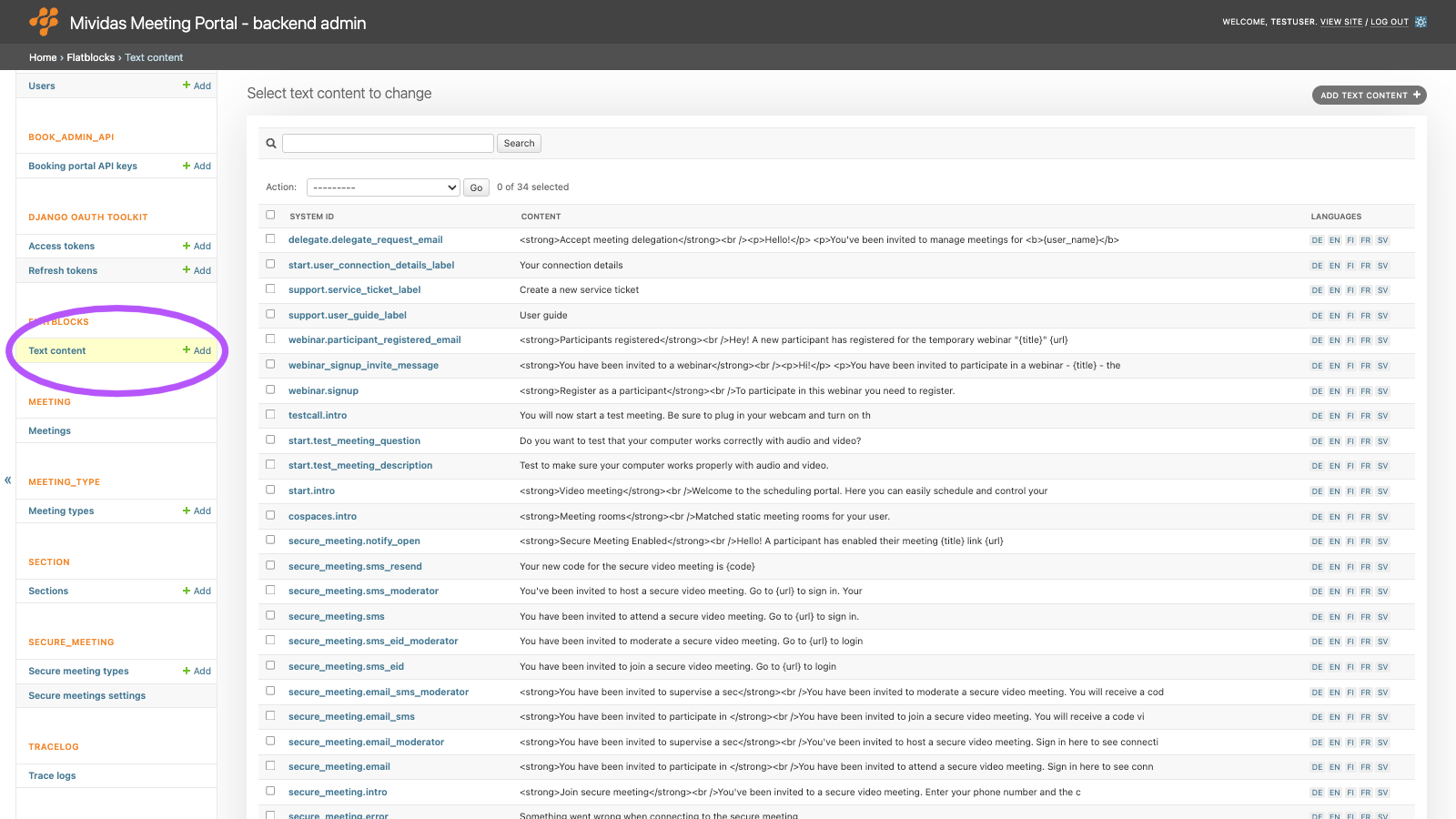
Warning: Changes made here affect low-level platform behavior and can disrupt service if misconfigured. Only make changes if you understand their impact, and always use the regular Mividas Meeting Portal interface when the same setting is available there.
Edit the texts shown on pages in the Mividas Meeting Portal and used in emails and SMS messages.
List view
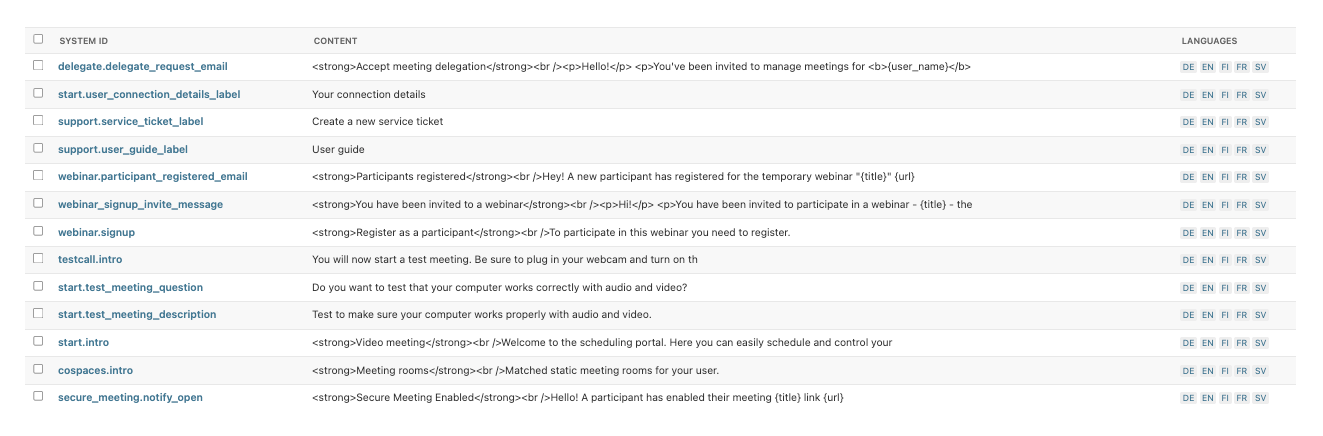
Edit a text

Select a language tab at the top of the form to edit the text in that language. If a text hasn’t been translated into the user’s language, it is shown in the installation’s default language.
| Field | Description |
|---|---|
| System id | Required. A unique name used for reference in the templates. Don’t change the system ID of an existing text, because the portal looks up the text by this name. |
| Subject | An optional header for this content. On portal pages, it’s shown as a heading. In e-mails, it’s used as the subject. |
| Content | The text itself. Texts on portal pages are shown as plain text, and line breaks are kept. E-mail texts marked as HTML in the tables below can contain HTML. |
Note: Don’t delete texts that the Meeting Portal uses. A deleted text is automatically recreated when needed, but it shows its system ID instead of the text. To hide an optional text, clear its content instead.
Texts on portal pages
| System id | Where it’s used |
|---|---|
login.intro | Introduction on the sign-in page. |
start.intro | Heading and welcome text on the start page. |
start.test_meeting_description | Text in the test meeting box on the start page. |
start.test_meeting_question | Text next to the Test meeting link on the start page. |
start.user_connection_details_label | Label of the button that shows the user’s personal connection details on the start page. The button is only shown to users who have personal connection details. Clear the content to hide the button. |
testcall.intro | Instructions on the test meeting page. |
cospaces.intro | Heading and introduction on the meeting rooms page. |
recording.intro | Heading and introduction on the recordings page. |
webinar.signup | Heading and introduction on the page where participants register for a webinar. |
support.user_guide_label | Label of the user guide button in the support menu. The link is set in the theme settings. |
support.service_ticket_label | Label of the service ticket button in the support menu. The link is set in the theme settings. |
Texts in e-mail and SMS messages
You can use placeholders, written within curly brackets. They’re replaced with the actual values when the message is sent. Unless stated otherwise, you can also use {system_title} (the name of the portal) and {base_url} (the address of the portal).
| System id | Where it’s used | Format and Placeholders |
|---|---|---|
invite_email.content | The layout around the body of all meeting invitation e-mails. | HTML. {title} – the invitation title, {invite_html} – the invitation body. |
delegate.delegate_request_email | E-mail to a user who has been invited to manage meetings for someone else. If the content is empty, no email is sent. | HTML. {user_name} and {user_email} – the user who sent the request, {url} – link to the Delegations page. |
webinar_signup_invite_message | Default invitation message for webinars that require registration. | HTML. {title}, {date_start}, {time_start}, {date_stop}, {time_stop}, {room_number}, {password}, {dialstring}, {web_url} – the address of the registration page, {web_link} – a clickable link to the registration page. Only these placeholders can be used, and other curly brackets are not allowed in this text. |
webinar.participant_registered_email | E-mail to the organizer when a participant registers for a webinar. | HTML. {title}, {url} – link to the meeting, {participant_name}, {participant_company}, {participant_email}. {base_url} can’t be used in this text. |
secure_meeting.email | Default invitation e-mail for secure meeting participants, if the organizer doesn’t write their own message. Also used as a fallback for the other secure meeting e-mail texts. | HTML. {url} – the participant’s personal sign-in link. In the subject: {type} – the meeting type. |
secure_meeting.email_moderator | The same, for moderators. Falls back to secure_meeting.email. | HTML. Same as above. |
secure_meeting.email_sms | Default invitation e-mail for participants who sign in with an SMS code. | HTML. Same as above. |
secure_meeting.email_sms_moderator | The same, for moderators. | HTML. Same as above. |
secure_meeting.email_eid | Optional. Default invitation e-mail for participants who sign in with methods other than SMS, e.g., eID. Add this text if you want a different text than secure_meeting.email. | HTML. Same as above. |
secure_meeting.email_eid_moderator | Optional. The same, for moderators. | HTML. Same as above. |
secure_meeting.sms | Default invitation SMS for secure meetings. | Plain text. {url} – the personal sign-in link, {code} – the verification code. |
secure_meeting.sms_moderator | The same, for moderators. | Plain text. Same as above. |
secure_meeting.sms_eid | Default invitation SMS for sign-in methods that verify the person’s identity (sso:validate and eid:validate). | Plain text. {url} – the personal sign-in link. |
secure_meeting.sms_eid_moderator | The same, for moderators. | Plain text. Same as above. |
secure_meeting.sms_resend | SMS with a new verification code, sent when the participant’s code has expired. See SECURE_MEETING › Secure meetings settings. | Plain text. {code} – the new verification code. |
secure_meeting.notify_open | E-mail to the organizer when a participant opens their secure meeting link. Only sent for meeting types with the advanced setting send_open_meeting_notification. | Plain text. {title} – the meeting title, {url} – link to the meeting. |
Other texts
These texts may also be in the list:
| System id | Description |
|---|---|
secure_meeting.connect_portal_domain | The domain of Mividas Identify. Only used if no URL is set in SECURE_MEETING › Secure meetings settings. |
login.ldapadmin_intro, reset_password.*, secure_meeting.intro, secure_meeting.error | Created automatically, but not used in the current version of Mividas Meeting Portal. You don’t need to edit them. |