Warning: Changes made here affect low-level platform behavior and can disrupt service if misconfigured. Only make changes if you understand their impact, and always use the standard Meeting Portal interface when the same setting is available there.
A read-only log of sign-ins, sign-outs, and changes made in Mividas Meeting Portal. This includes changes made in the web interface, via the Outlook add-in, the APIs, and the backend admin.
Entries are created automatically. They can’t be added, changed, or deleted.
What is logged
- Sign-ins, sign-outs, and failed sign-ins.
- All requests that create, change, or delete data, for example, scheduling, rescheduling, or canceling a meeting, sending invitations, or saving a record in the backend admin.
- When a user starts managing meetings on behalf of another user.
Ordinary page views and other read-only requests are generally not logged. Passwords and other sensitive values in the submitted data are redacted before they’re stored.
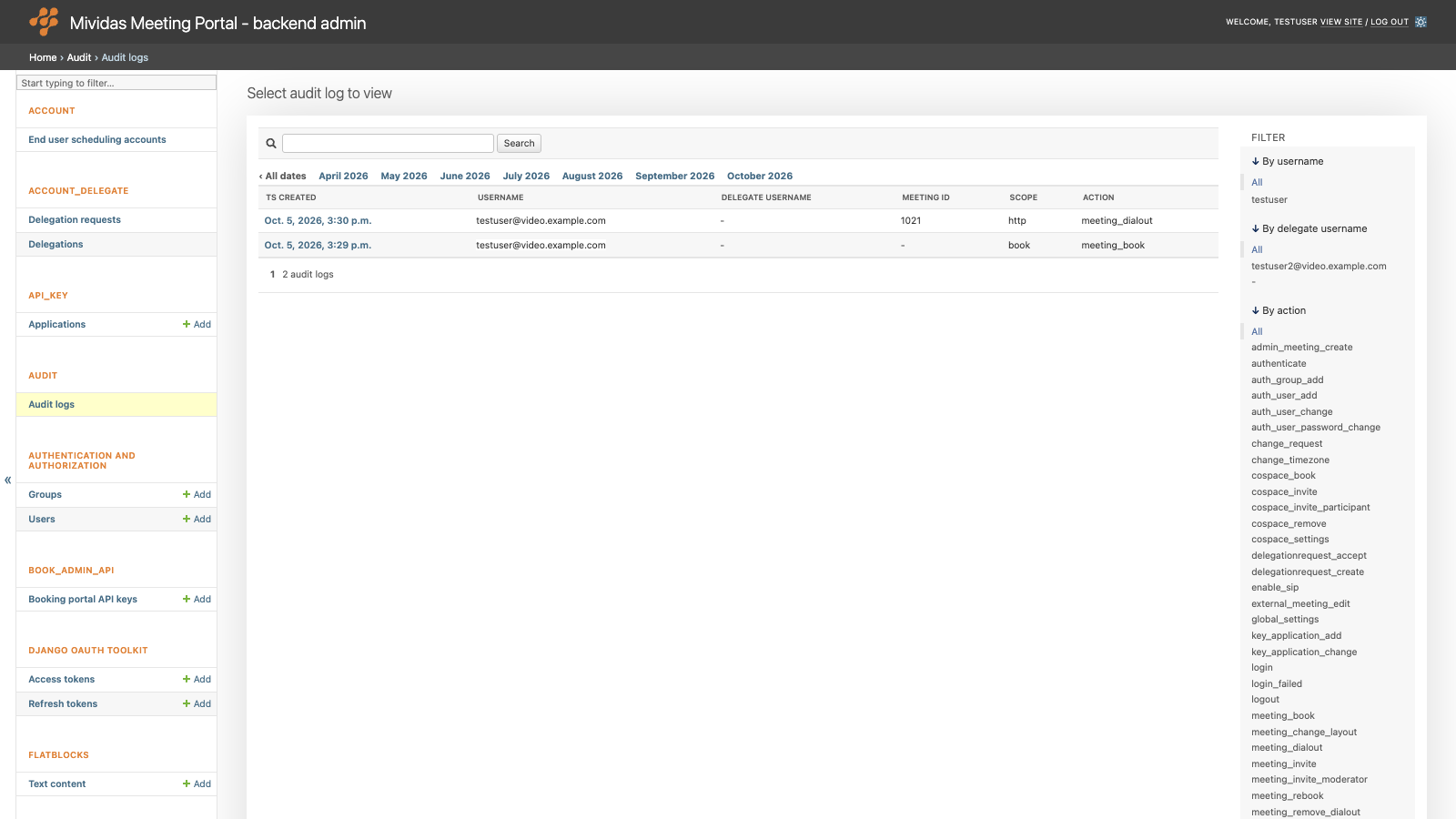
List view
| Column | Description |
|---|---|
| Ts created | When the event happened. |
| Username | The user who made the request. |
| Delegate username | The user who acted on behalf of Username, for example, through a delegation. Empty if the user acted on their own. |
| Meeting id | The ID of the meeting the event is related to, if any. |
| Scope | The part of the system to which the request was made. auth – Sign-in and sign-out, including SAML sign-in. book – Scheduling in the Meeting Portal’s web interface. book_api – Requests to the public API ( /api/v1/).outlook – Requests from the Outlook add-in. http – All other requests, for example, in the backend admin. |
| Action | What was done, a few examples: login – A user signed in. login_failed – A sign-in attempt failed. logout – A user signed out. saml_login – A sign-in with SAML. saml_logout – A sign-out with SAML. change_request – Data was created or changed. delete_requests – Data was deleted. |
View an entry

Click the date and time of an entry to see all details.
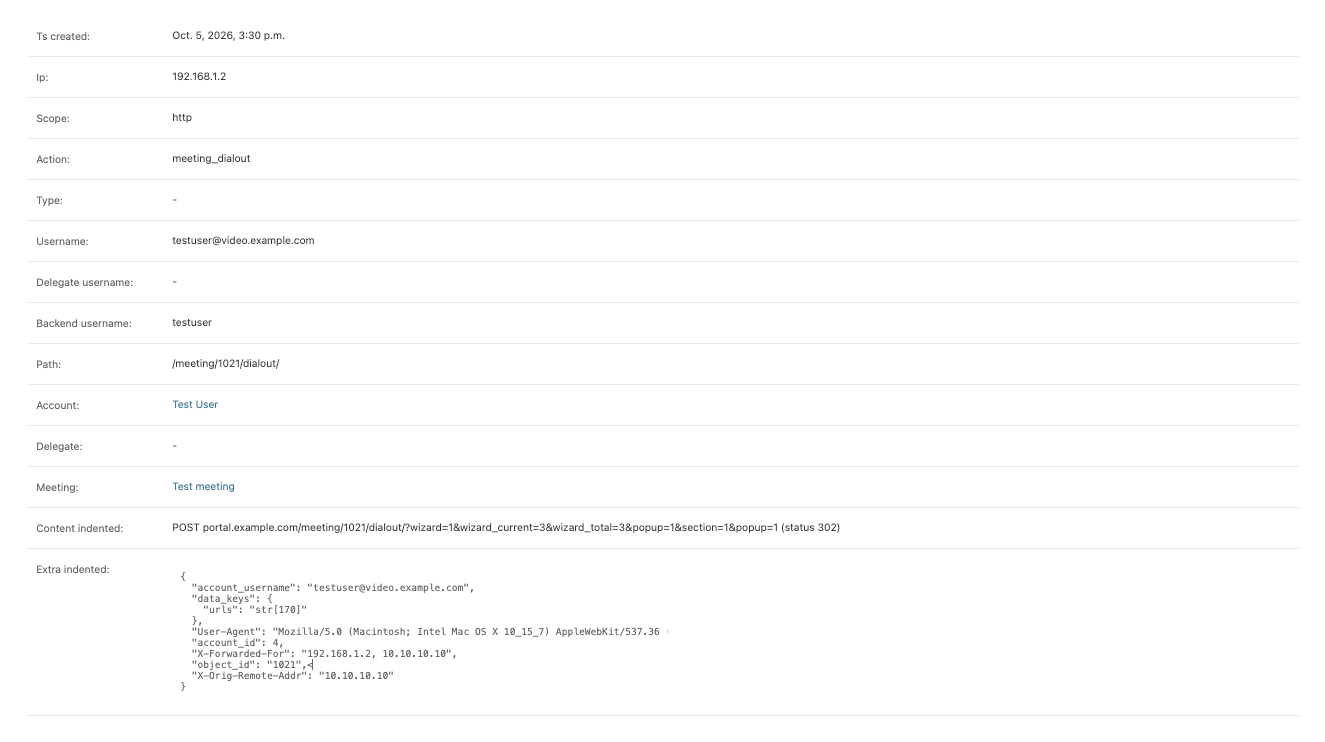
| Field | Description |
|---|---|
| Ts created | When the event happened. |
| Ip | The IP address of the client. |
| Scope | The part of the system to which the request was made. |
| Action | What was done. |
| Type | For API requests: the type of object that was handled, e.g. meeting. |
| Username | The user who made the request. |
| Delegate username | The user who acted on behalf of Username. |
| Backend username | The backend user of the session, or - if there was none. |
| Path | The URL path of the request. |
| Account | The end user scheduling account the request was made as. |
| Delegate | The end user scheduling account that acted on behalf of Account. |
| Meeting | The meeting the event is related to. |
| Content indented | A summary of the event, e.g. POST portal.example.com/book/ (status 302) or a sign-in message. |
| Extra indented | More details in JSON format. This includes the submitted data (with sensitive values redacted), the affected object, and request headers such as User-Agent and X-Forwarded-For, and request IDs for troubleshooting. |