Warning: Changes made here affect low-level platform behavior and can disrupt service if misconfigured. Only make changes if you understand their impact, and always use the regular Mividas Meeting Portal interface when the same setting is available there.
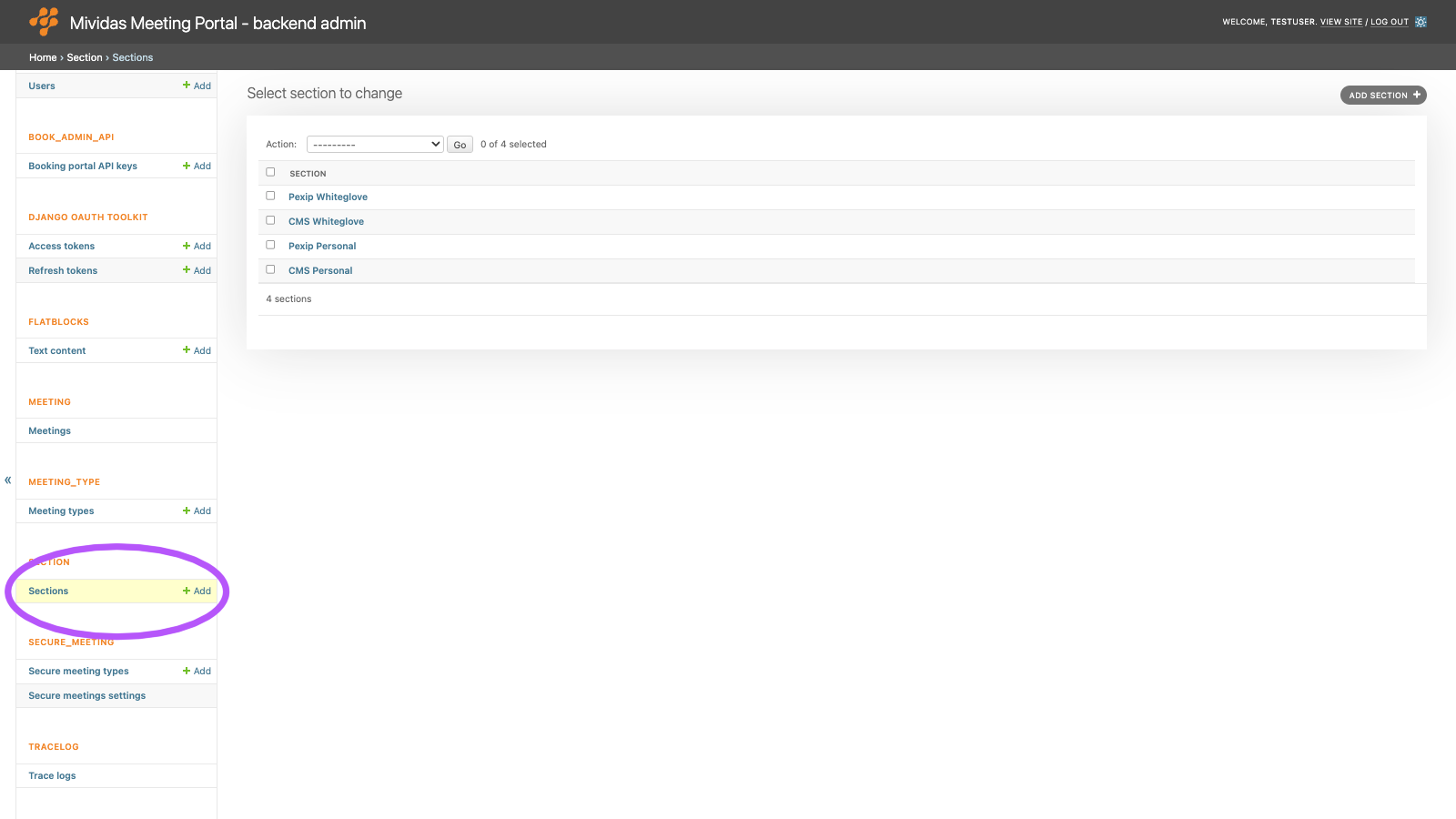
Configure sections in Mividas Meeting Portal. Sections appear as tabs on the start page and are required for the white-glove option.
| Option | Description |
|---|---|
| Add section + | Add a new section. |
List view

| Column | Description |
|---|---|
| Section | The title of the section. |
Add or edit a section
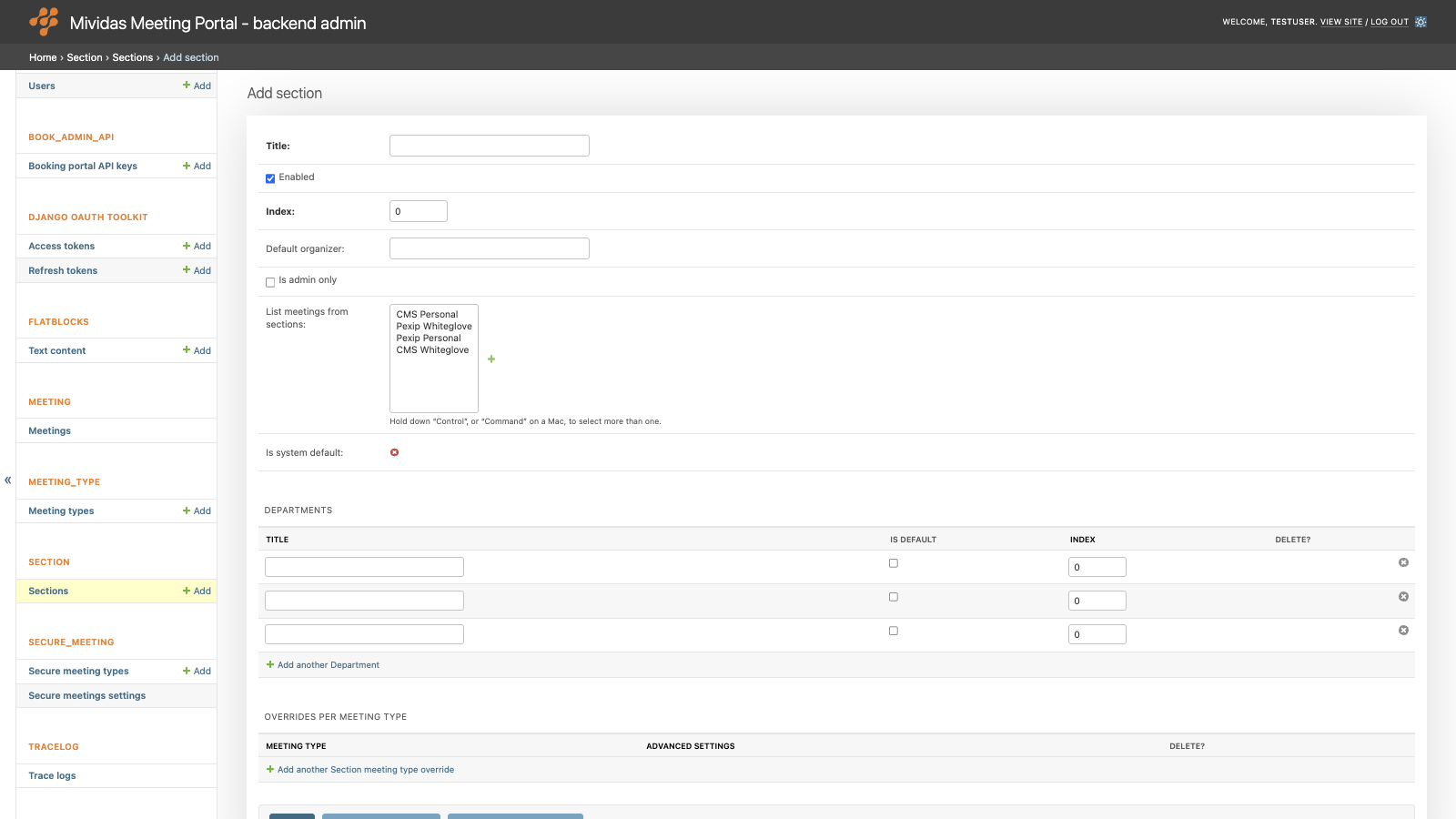
| Field | Description |
|---|---|
| Title | Required. The name of the section, shown on the tab. |
| Enabled | When unchecked, the section isn’t shown. The default section is always enabled. |
| Index | The sort order of the tabs. Lowest first. The default section is always shown first. |
| Default organizer | Not used in the current version of Mividas Meeting Portal. |
| Is admin only | Is only shown to users with Staff status. In the tab, the meetings of all users in the section are listed, not only the user’s own. The scheduling form has a Schedule as user field, where the administrator selects the user the meeting is scheduled for. |
| List meetings from sections | List the meetings from the selected sections in this section’s tab. Hold down Control, or Command on a Mac, to select more than one. |
| Is system default | Shows if this is the default section (read-only). |
Departments
Departments can be selected when scheduling a meeting in the section. The department is shown in the meeting, see MEETING › Meetings.
| Option | Description |
|---|---|
| Title | The name of the department. |
| Is default | The department that is preselected in the scheduling form. |
| Index | The sort order of the departments. Lowest first. |
| Delete | Check the box and click Save to remove the department. Meetings that used the department are kept without a department. |
| Add another Department | Adds another row for another department. |
Section meeting type overrides
Change the settings of a meeting type, only for meetings scheduled in this section.
| Option | Description |
|---|---|
| Meeting type | The meeting type to change. |
| Advanced settings | The settings to change, in JSON format, e.g. {"enable_recurring": false}. Uses the same settings as Advanced settings under MEETING_TYPE › Meeting types. In this section, these settings replace the meeting type’s own settings with the same name. |
| Delete | If not yet saved: click the delete icon (x) to remove the row. If already saved: check the box and click Save to remove the row. |
| Add another Section meeting type override | Adds another row for another meeting type. |
Delete a section
Deleting a section also deletes its departments and meeting type overrides. Meetings scheduled in the section are kept, but they’re no longer connected to any section, so they’re shown in the default section. The default section can’t be removed permanently.